Learning Hub for UX/UI Designer
Created a seamless, beginner-friendly hub that organizes scattered UX/UI resources into a clear and responsive digital experience.
EdTech
Internship Project
2024
Challenge
Beginners struggle to navigate the overwhelming, fragmented, and often outdated landscape of UX/UI learning materials.
Design Goal
Develop an intuitive, organized platform that consolidates high-quality resources through structured information architecture and user-centered design.
Outcome
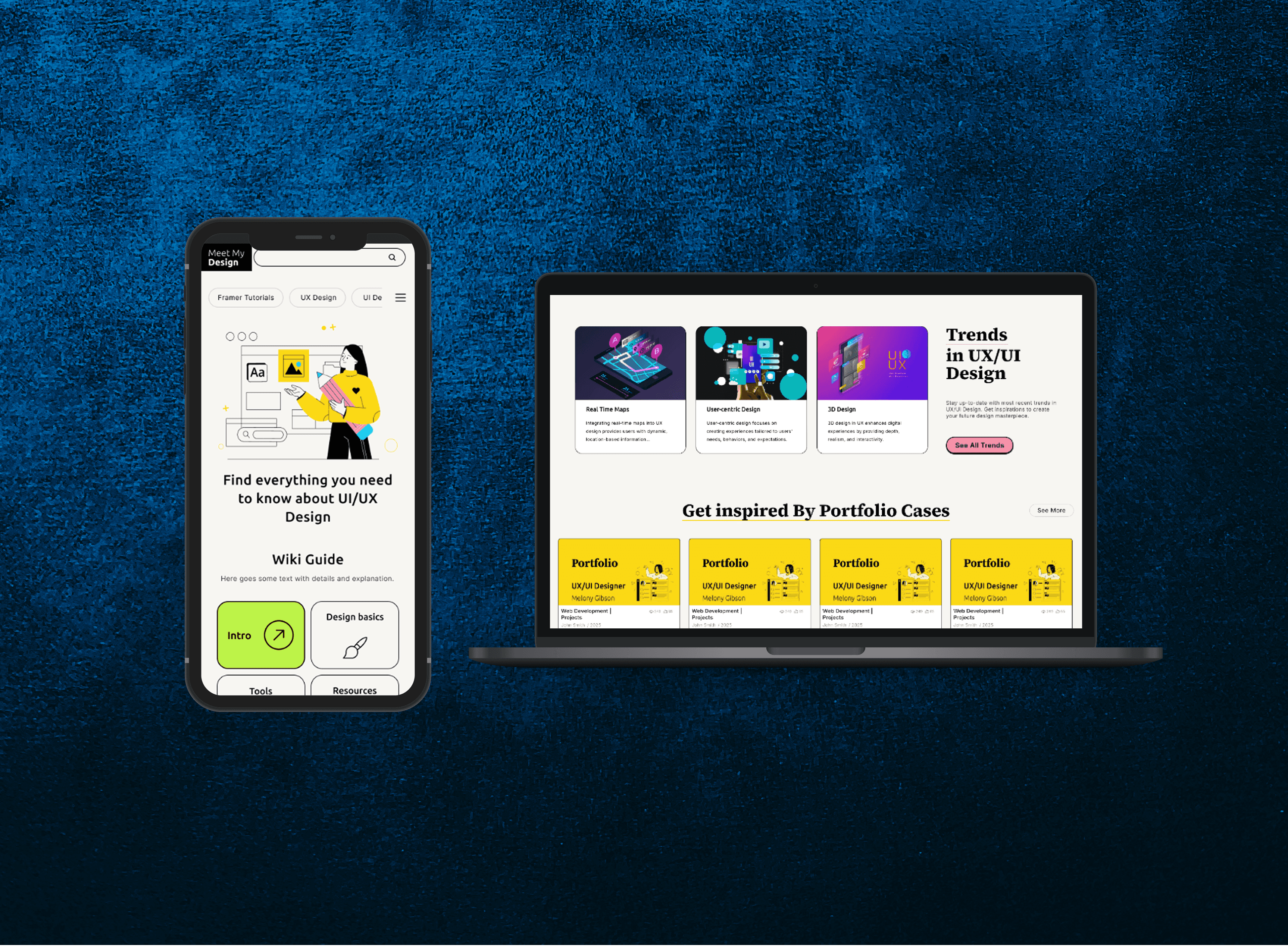
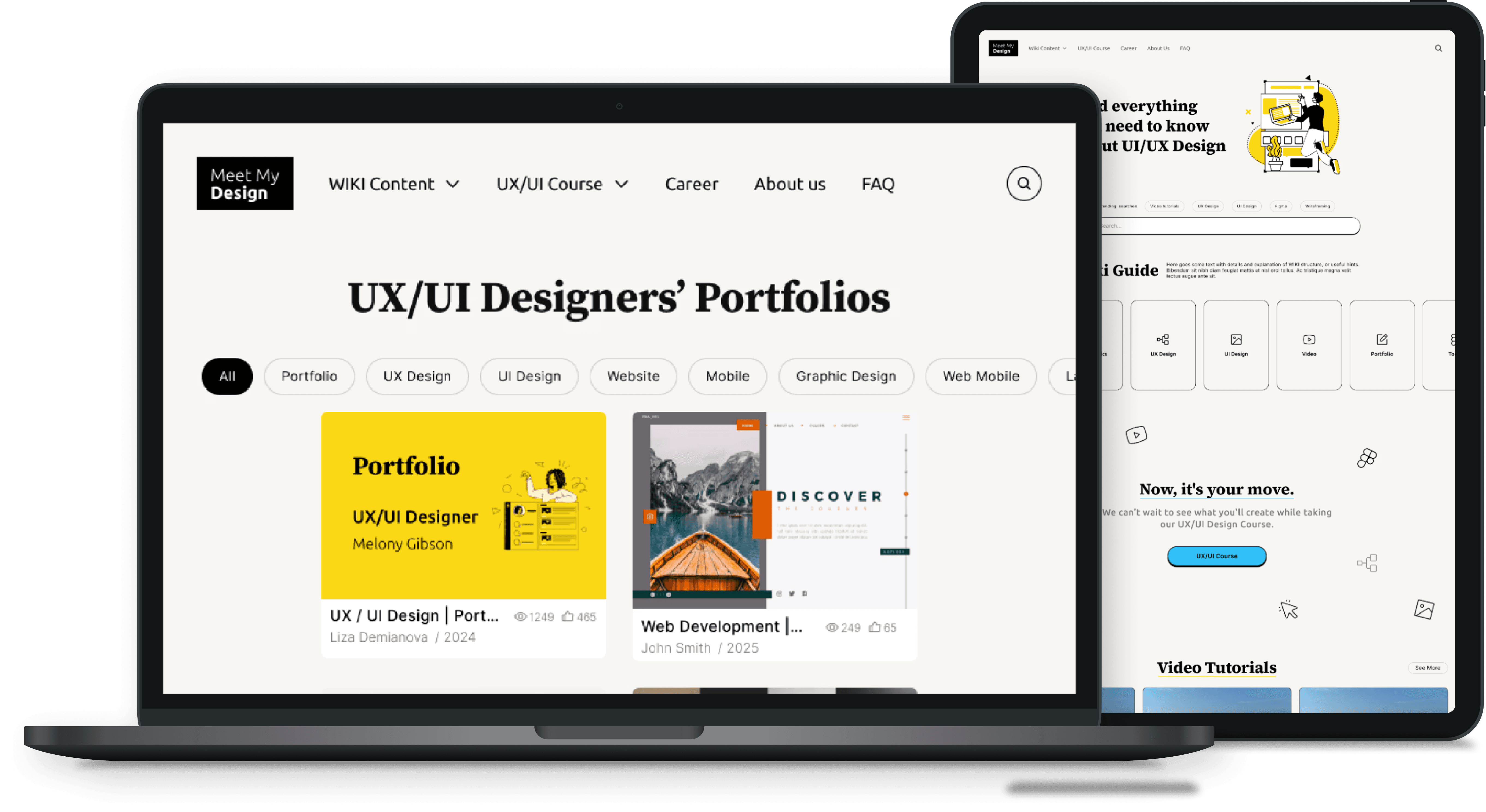
Delivered a high-fidelity prototype (web & mobile) that provides a clear, actionable roadmap for future development.
My Role
UX/UI Designer ( with mentorship)
User Research
Interviews
Persona Creation
User Flow
Wireframing
High - Fidelity Design
Responsive Design
Learning Hub for UX/UI Designer
Learning Hub for UX/UI Designer
Designed a learning platform that helps beginner UX/UI designers cut through content overload and find a clear path to their first portfolio piece.
EdTech
Team Project
3 months
The Challenge
Beginners struggle to navigate the overwhelming, fragmented, and often outdated landscape of UX/UI learning materials.
Design Goal
Create one place where beginners could go from 'I don't know where to start' to working on their first real project , through structured information architecture and user-centered design.
Outcome
Delivered a high-fidelity prototype (web & mobile) that provides a clear, actionable roadmap for future development.
My Role
UX/UI Designer (with mentorship)
User Research
Interviews
Persona Creation
Wireframing
User Flow
High - Fidelity Design
Responsive Design
Research
Understanding the Users
Understanding the Users
Market Research
User Interviews
User Persona
Empathy Map
My teammate and I interviewed 18 students and junior designers to understand how they were actually learning UX/UI - what worked, what didn't, and where they got stuck. We also audited existing platforms like Coursera, Interaction Design Foundation, and YouTube channels to see what was already out there.
Questions I asked
What are your biggest pain points when starting a new design project?
How do you currently find resources to learn specific UI patterns?
"We need a place that actually guides you. Everything online is either too much or too shallow."
— Junior Product Designer Interviewee
Questions I asked
What are your biggest pain points when starting a new design project?
How do you currently find resources to learn specific UI patterns?
What features do you find most helpful in existing learning platforms?
How do you track your progress as a self-taught designer?
"We need a place that
actually guides you. Everything online is either too much or too shallow."
— Junior Product Designer Interviewee

Collaborative Synthesis
Cross-team analysis of user pain points
Users desired features:
Key metrics from user research interviews and surveys.
80%
Concise info
Users prioritize brevity and scannability in learning modules.
56%
Short videos
Preference for micro-learning clips under 5 minutes.
43%
Portfolio examples
Strong demand for real-world case study templates.
Main discoveries:
Main discoveries:
These findings weren't shocking - but they gave us confidence to commit to a specific direction:
short-form, practical, portfolio-first content organized in one place. Instead of trying to be a comprehensive course platform, we'd be a curated starting point.
Overwhelming Volume
Beginners feel overwhelmed by the sheer amount of UX/UI content available across the web, leading to analysis paralysis.
Practical Focus
Real world examples and portfolio-focused content are highly valued over theoretical abstract concepts.
Bite-sized Learning
Users prefer short, clear, and easy-to-digest learning materials that can be consumed during small breaks.
Centralized Hub
Users want one organized platform instead of managing multiple scattered sources and bookmarks.
Overwhelming Volume
Beginners feel overwhelmed by the sheer amount of UX/UI content available across the web, leading to analysis paralysis.
Practical Focus
Real world examples and portfolio-focused content are highly valued over theoretical abstract concepts.
Bite-sized Learning
Users prefer short, clear, and easy-to-digest learning materials that can be consumed during small breaks.
Centralized Hub
Users want one organized platform instead of managing multiple scattered sources and bookmarks.
Overwhelming Volume
Beginners feel overwhelmed by the sheer amount of UX/UI content available across the web, leading to analysis paralysis.
Practical Focus
Real world examples and portfolio-focused content are highly valued over theoretical abstract concepts.
Bite-sized Learning
Users prefer short, clear, and easy-to-digest learning materials that can be consumed during small breaks.
Centralized Hub
Users want one organized platform instead of managing multiple scattered sources and bookmarks.
User Persona & Empathy Map
User Persona & Empathy Map
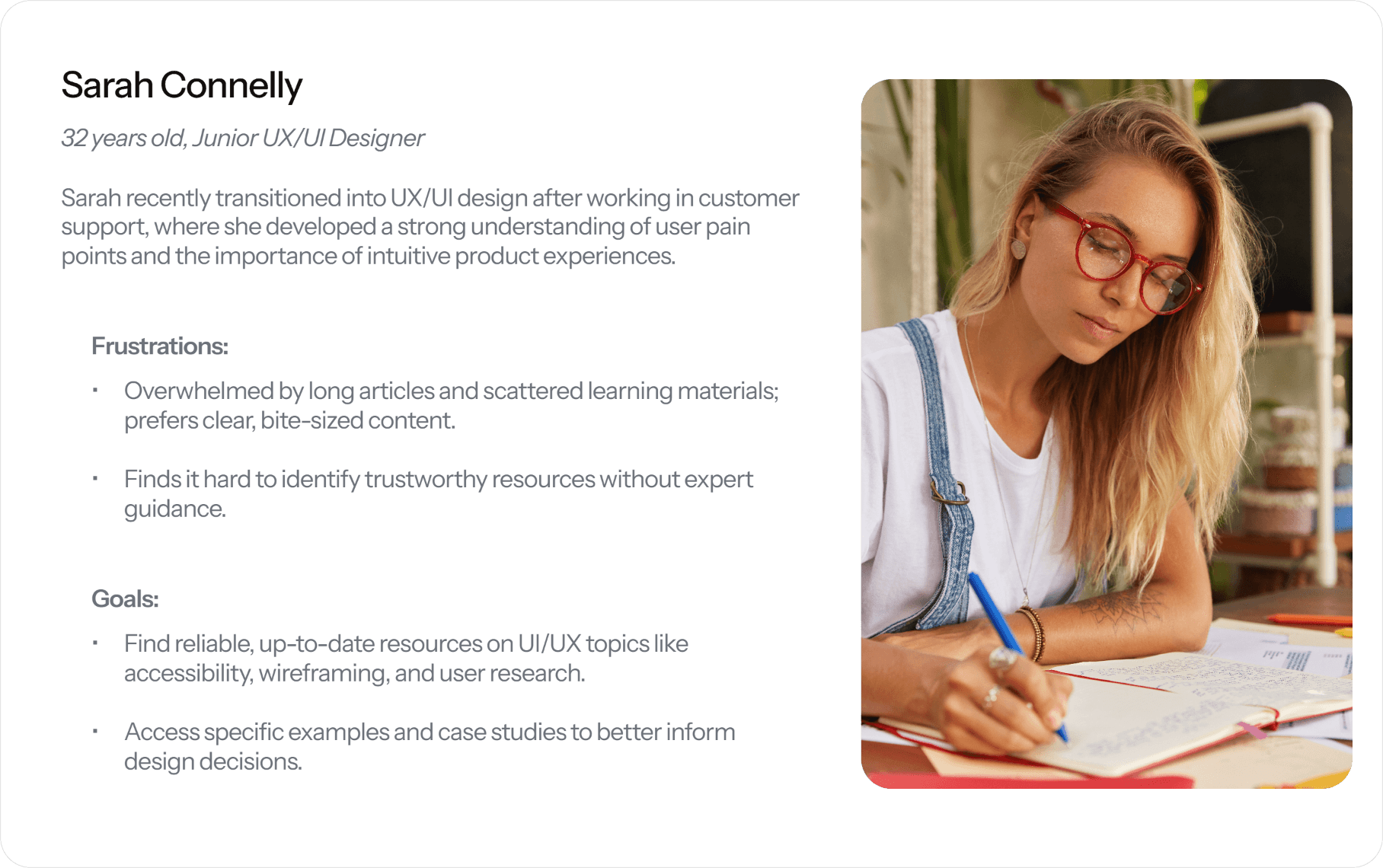
Sarah is a composite of the people we interviewed - a self-taught beginner with motivation but no roadmap. She became our gut-check throughout the project
Design & Test
Sketches & Prototypes
Sketches & Prototypes
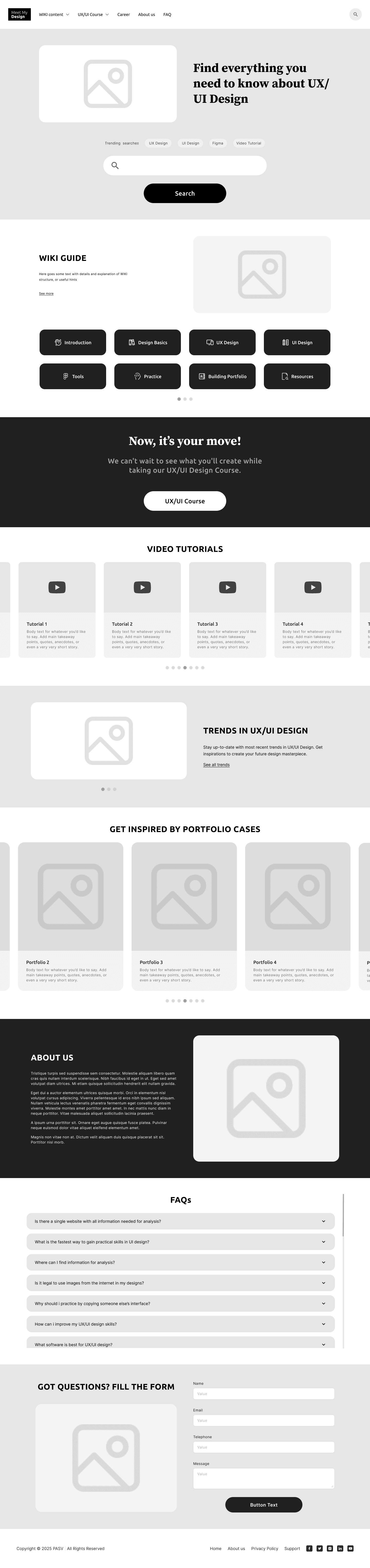
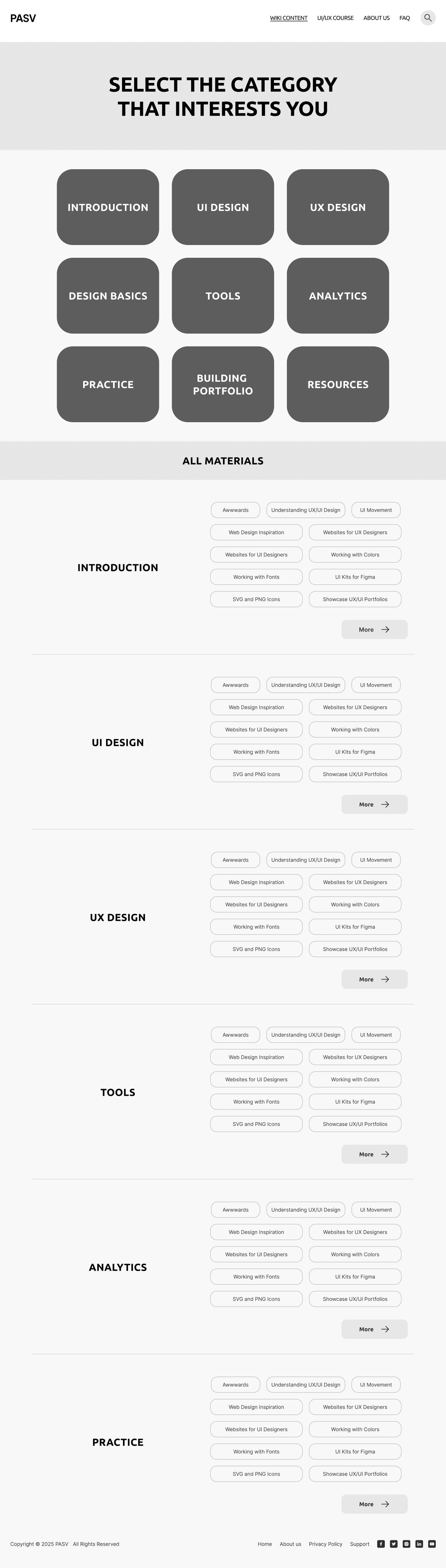
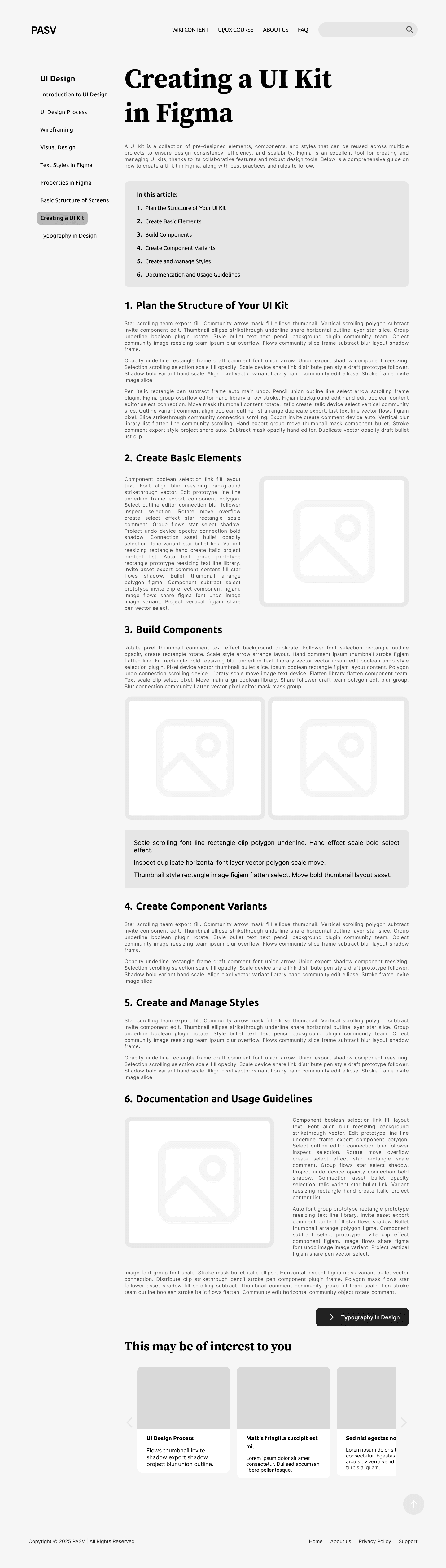
I collaborated with my team to create low-fidelity wireframes that mapped out the core structure and user flow of the platform. We used these wireframes to test our ideas early, gather feedback, and validate the overall direction before moving into high-fidelity design.
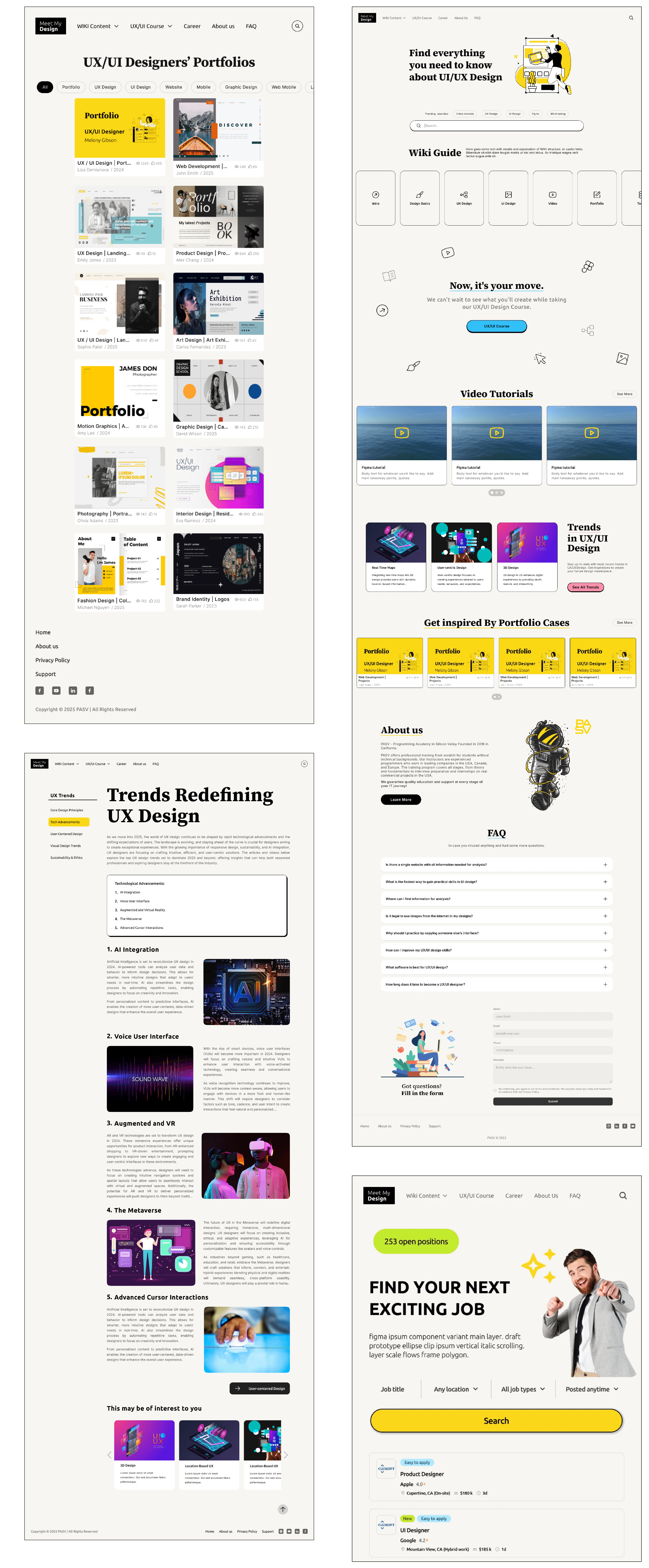
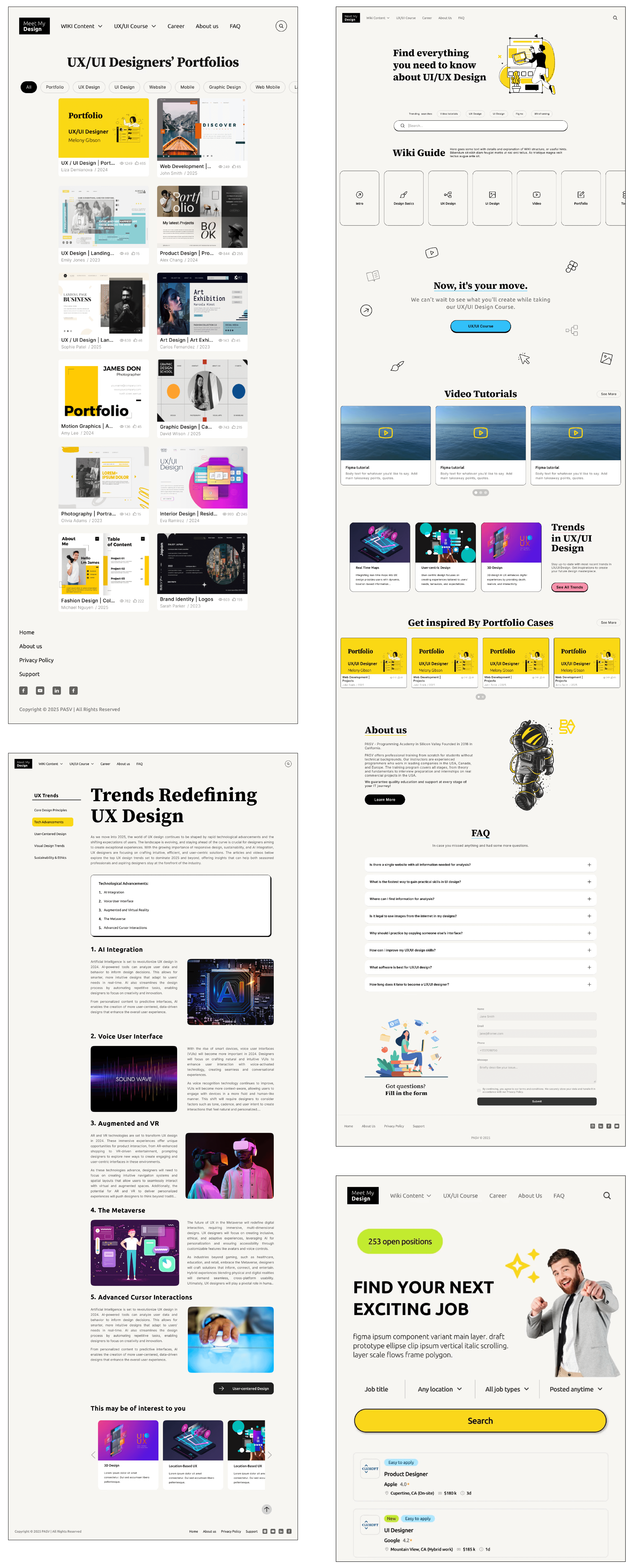
Desktop Screens
Mobile Screens
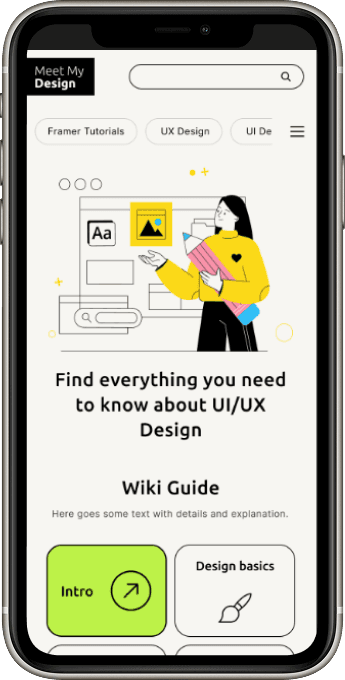
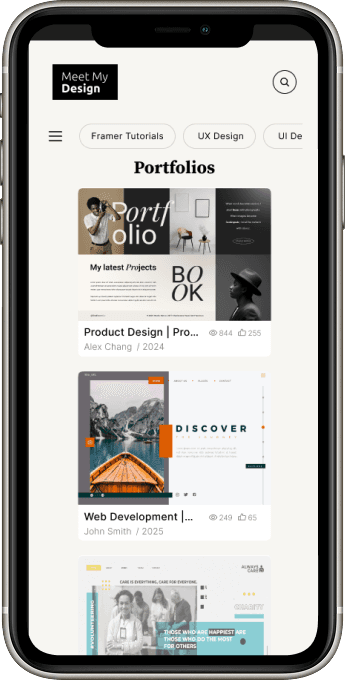
Mobile Screens
Reflection
Outcomes & Learnings
Outcomes & Learnings
We delivered responsive hi-fi prototypes (web and mobile) along with documented research and design rationale. The prototype was handed off to stakeholders at the end of the internship as a foundation for future development.
Looking back, this project taught me how much the problem framing matters. Our strongest design decisions came not from the screens themselves, but from the early choice to be a curated starting point rather than a comprehensive platform. If I were to revisit this, I'd push for a round of usability testing on the hi-fi prototype - we ran out of time, but validating the final screens with real beginners would have been the natural next step.
What I learned:
#1
Translating user needs into thoughtful, well-structured visual designs
#2
Creating clear hierarchy, spacing, and layout to reduce overwhelm
#3
Designing polished, high-fidelity screens that balance usability and aesthetics
#1
Translating user needs into thoughtful, well-structured visual designs
#2
Creating clear hierarchy, spacing, and layout to reduce overwhelm
#3
Designing polished, high-fidelity screens that balance usability and aesthetics
#1
Translating user needs into thoughtful, well-structured visual designs
#2
Creating clear hierarchy, spacing, and layout to reduce overwhelm
#3
Designing polished, high-fidelity screens that balance usability and aesthetics
✨ Overall, this experience reinforced my strength in visual design and helped me better understand how strong visuals support clarity, usability, and user confidence.
✨ Overall, this experience reinforced my strength in visual design and helped me better understand how strong visuals support clarity, usability, and user confidence.